Video
Lock the cast once.Shoot every scene.
A brief, a PDF or a spoken sentence becomes a numbered shot list, a priced plan and a finished cut, with characters and voices that stay themselves from the first shot to the last.
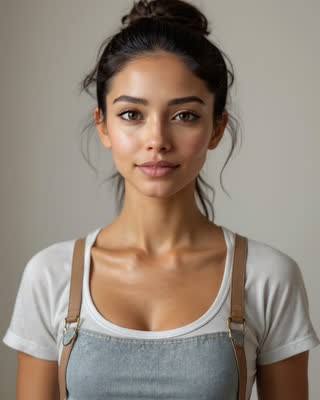 1 cast
 Shot 15s
 Shot 28s dialogue
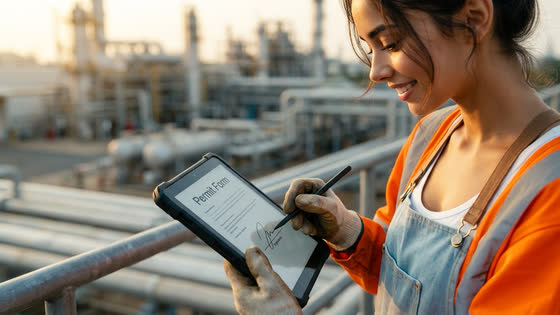 Shot 35s
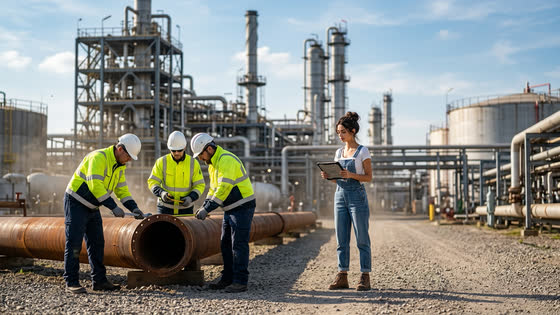 Shot 45s
Every frame in this board is a real Backlot render.
Ten formats, each one made
Pick what you're making and the format sets the length, shape and pacing, and starts the brief. Every poster here is a real piece; open one to read how it was briefed.
What you get, not what we promise.
Every picture below came out of Backlot. Nothing here is a stock photo or a concept render.
Direct it for me
Say what you want. Hear it before you see it.
Give Backlot a sentence or two and it does the rest: casts your Troupe and gives them voices, writes the script to the length you asked for, plans a shot for every place and camera setup, and chooses the sound and the music. Then it plays you the whole thing (every line, each scene's own sound, the music under it) before a single frame is rendered. When it sounds right, one button makes it.
- Script first: the words fill the running time, and every shot runs exactly as long as its lines take to say
- Lines are spoken on camera, lip-synced, or as voice-over across cutaways of what's being described
- Anyone the story mentions who isn't in your cast is told by the narrator, and you're told why
- The listen-through is 1 credit per 10 seconds; Make it shows its price on the button, then renders, approves, cuts and checks the result
- Speech 67%
- Longest pause 4.2 s
- No dead air
- −16 LUFS
- #01Mara On camera4 s shot
“Every time I send money, someone writes it down.”
- #02Mara Voice-over7 s shot
“Not a bank. Not one clerk. Thousands of computers, all writing the same line, in the same order.”
- #03Narrator Voice-over3 s shot
“Across town, it's already there.”
- #04
A rooftop mast in the wind · no lines · 3 s
- #05Mara Voice-over4 s shot
“Nobody owns the book. Nobody can tear out a page.”
- #06Mara On camera6 s shot
“That's a ledger. Shared by everyone. Owned by no one. And it never forgets.”
Start anywhere
A brief, a PDF, or just say it out loud.
Type what you want. Or drop in the procedure, the deck or the product sheet you already wrote, and Backlot reads it and drafts the title, the story and the length for you. Every prompt field has a microphone, so you can talk instead of type.
- PDF, PowerPoint and Word go in as they are: pages, tables and speaker notes included
- The draft is yours to rewrite before a single shot is planned
- Dictation runs in your browser; nothing is uploaded to transcribe it
Open wide on the site at dawn, equipment staged but idle. Our engineer walks up with a tablet and taps through the permit app…
The gas tester sweeps the area and paces out ten metres. “Zero LEL. You’re clear.”
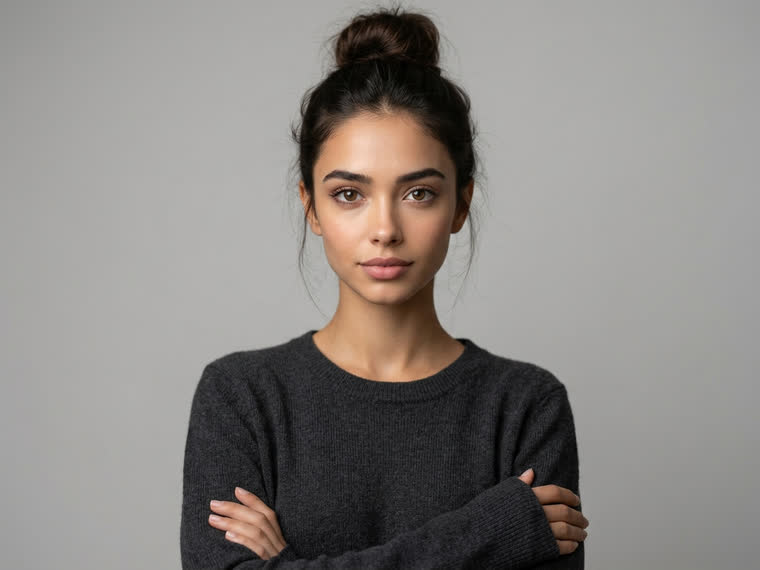
Character lock
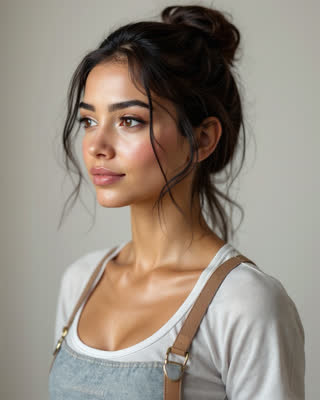
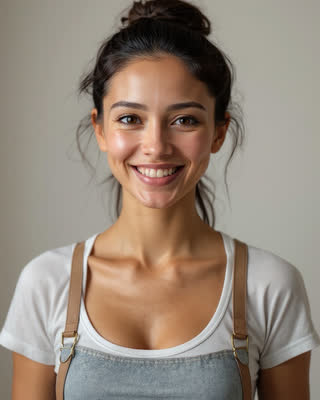
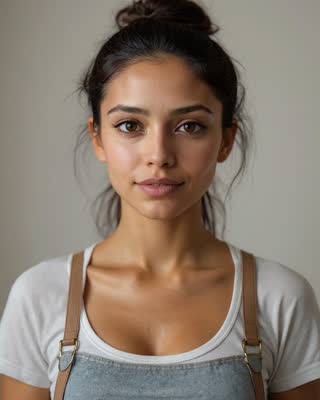
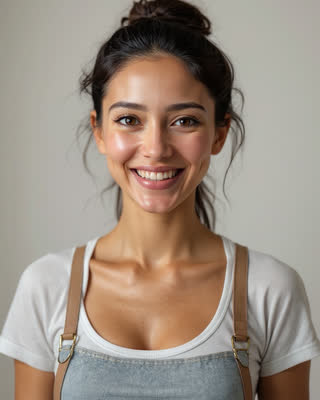
One face. Every scene. No drift.
Lock a character once and Backlot builds a reference sheet: front, three-quarter and profile, plus expressions. That sheet, not a description, is what every later shot is rendered from. Change the wardrobe, the lighting, the city, the camera: the person stays the same person.
- Build a character from a description, a photo you upload, or any still you've already made
- Cast the same character in video and in images
- A production takes its whole look from its cast, so nothing can be mixed by accident
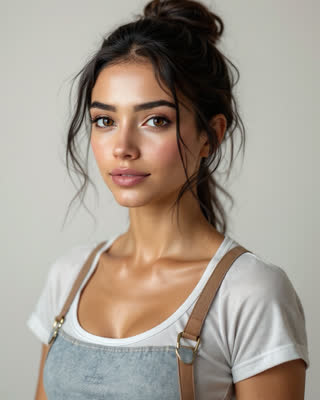



The prompt assistant
You don't have to know how to write a prompt.
Say what you want in your own words and the assistant writes the direction (action, camera and location) in the grammar the renderer actually reads. It already knows the look you're shooting in, who is in the shot and how long the take is, and it is barred from repeating any of them, because repeating them is what makes frames drift.
- Never writes style or quality words: the look adds its own, and saying it twice fights it
- Never re-describes a face or a wardrobe: the locked reference sheet carries those
- Writes one beat for a five-second take, and matches the shot before it for continuity
- 5 credits a draft, and nothing is overwritten until you accept it
“malya sees the gauge spike and shuts it off”
Malya glances up at the pressure gauge, holds a beat as the needle climbs past the red mark, then reaches left and turns the shut-off valve in one decisive movement.
Medium close, slightly low, handheld with a small settle; the gauge face catches the work light as she reaches.
Manifold deck beside the pressure skid
One beat only, and no wardrobe or face notes: the reference sheet carries those, and repeating them is what makes a character drift.
Director notes
Change anything by saying it.
Once the plan exists, write to it the way you'd talk to a director: swap two shots, cut a line, change the camera, approve the keepers, assemble the cut. The edits land on the board straight away. Anything that spends credits or throws work away comes back as a card with its price, and waits for your OK.
- 2 credits a note, charged only when the director answers
- Renders, deletions and re-plans never happen on their own; the button carries the price
- Everyone in the studio sees the same thread, so the notes double as the edit history
Do the buckle test first, then the webbing check. And end the last shot on him starting up the ladder.
Swapped the first two shots, so the buckle test opens. Shot 3 now ends as he starts climbing, which changes its picture, so it needs a new take.
- Moved shot 2 to the start
- Shot 3 · ends as he starts up the ladder
- Render shot 3 at FinalNot nowRender · 10 cr
Hold the thumbs-up a beat longer…
Storyboard first
See the whole film, and the price, before you spend.
Backlot breaks the brief into a numbered shot list with camera notes, dialogue and continuity flags, and tells you what rendering it will cost. Nothing is charged until you say go, and you can rewrite any shot before that.
- Time every shot to its lines, or fix one length for all: a 30-second piece at 10 seconds a shot is three shots
- Per-shot and total cost shown up front, in credits you bought at a fixed price
- Reorder, rewrite, shorten or delete shots while it's still free
- A render that fails costs you nothing
1 castShot 15sShot 28s dialogueShot 35sShot 45sEvery frame in this board is a real Backlot render.
Shot by shot
Direct it. Don't re-roll it.
Every attempt is kept as a numbered version. If shot three missed, regenerate shot three, and the rest of your film stays exactly as approved. Notes, approvals and who did what are recorded against each shot.
- Versions stack up; approve the one you want
- Continuity carries the last approved frame into the next shot
- Comment threads and an audit trail for the people signing it off
 Shot 1 · 5sv3

 Regenerate · 10 crApprove
Every attempt is kept. Approve the one you want; the rest cost you nothing more.
Sound and music
Every take sounds like its picture.
Once a shot renders, Backlot watches it and adds the sound that belongs there, in sync with the frame: the thunder arrives with the lightning, the footsteps fade as someone walks away. Then one track of music goes under the whole cut, levelled, dipped under every line, and ending on its own ending instead of a fade.
- Sound effects are 1 credit per 5 seconds, already in the price on every Generate button
- The planner writes what each shot should sound like. Change the line and redo the sound without re-rendering the picture
- A house library of 30 instrumentals across eight moods, free. Or have one composed to your brief for 5 credits a minute
- Bring your own music and it's mixed the same way, at no charge
- Shot 1 · Heavy rain on the rooftop, lightning crackle, rolling thunder, distant city
- Shot 2 · Wind gusting, rain lashing, a loud thunder crash
- Shot 3 · Steady rain, distant thunder rumbling
- Shot 1 · Gulls, water lapping at the quay, cranes creaking into motion
- Shot 2 · Tablet changing hands, jacket rustle, distant crane motors across the harbour
- Shot 3 · Container chains clanking as it lifts, crane hum, footsteps on concrete walking away, gulls
Six looks, pre-programmed.
Pick a look and Backlot sets the prompts, the motion model, the pacing and the negative space for you. The same character can be cast in any of them. Every tile below was generated in the app.

Ultra-realistic
Indistinguishable from footage: real skin, real light, shallow depth of field.
Best for brand films, testimonials, product stories
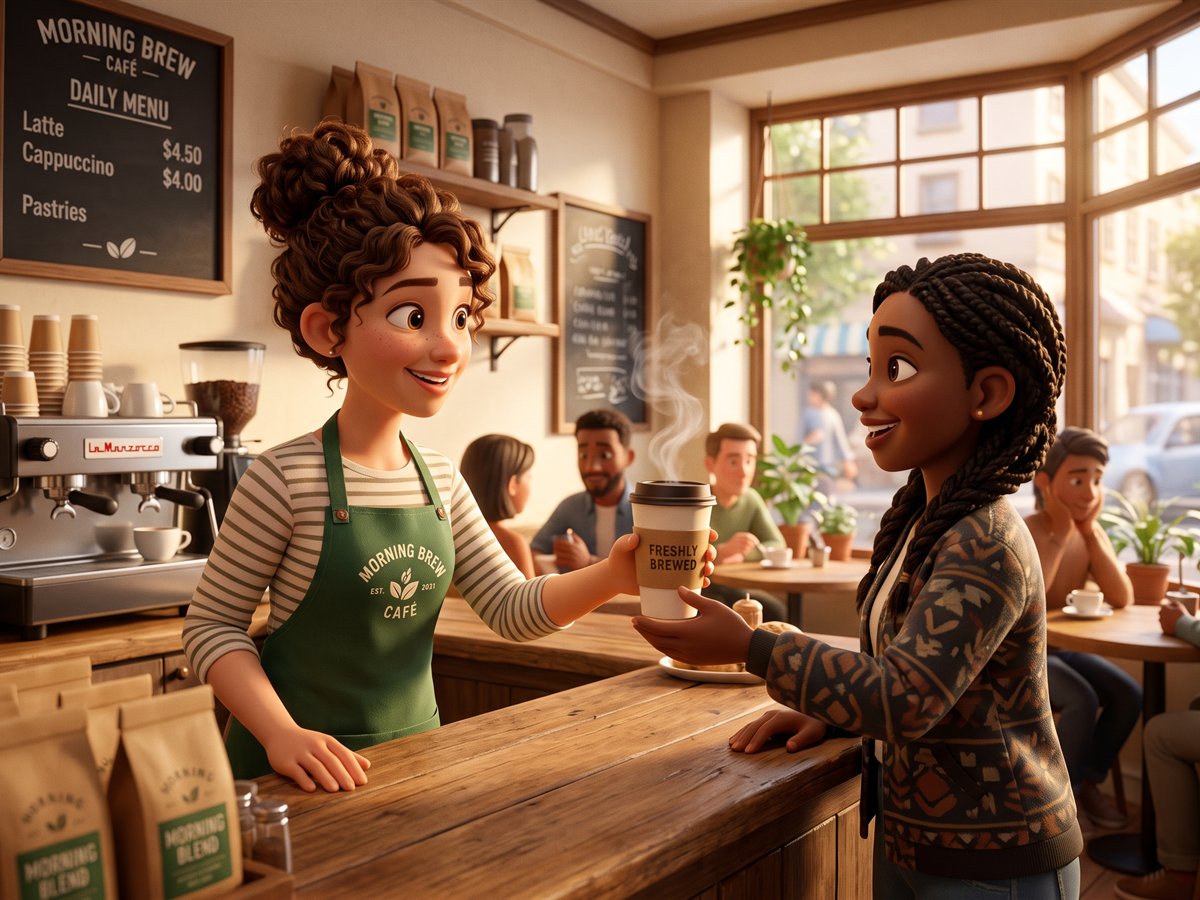
3D animated
Feature-animation warmth: soft global illumination and expressive, stylised characters.
Best for family brands, onboarding, mascots
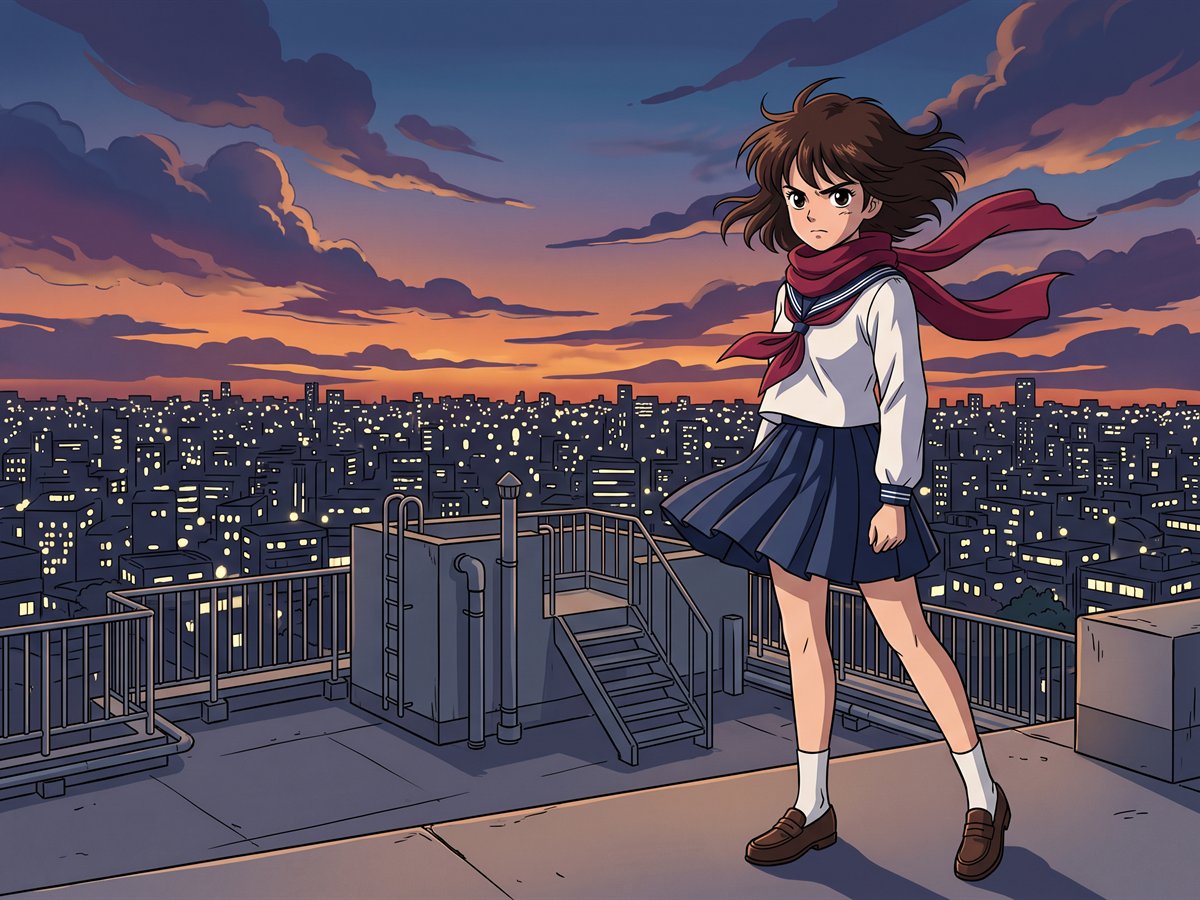
Anime
Hand-drawn 2D with clean linework, cel shading and painted backgrounds.
Best for youth audiences, games, culture brands

2D vector
Flat, geometric illustration in the language of a modern corporate explainer.
Best for explainers, SaaS, micro-training
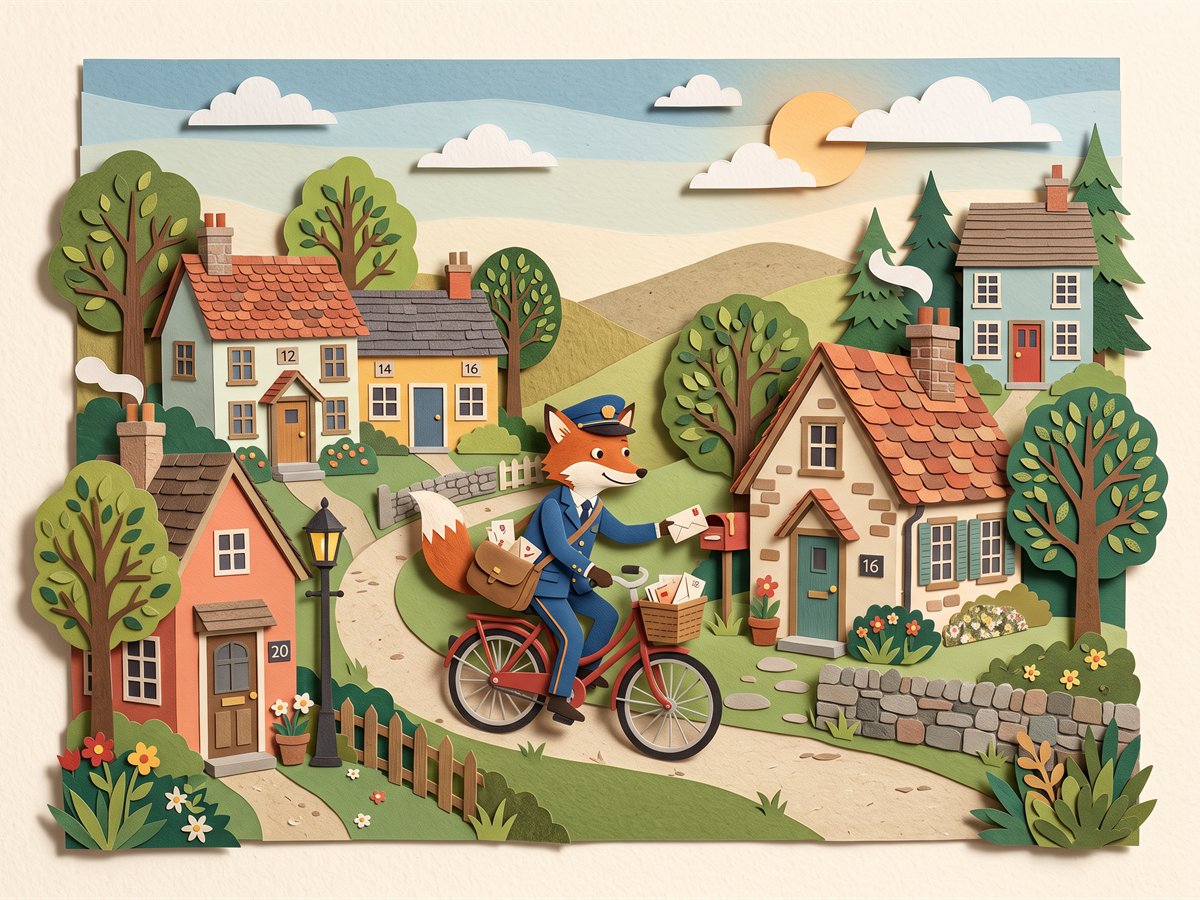
Cut-out
Layered paper with visible edges and jointed limbs, moved a frame at a time.
Best for storytelling, education, editorial
Pixilation
Live actors photographed frame by frame: jerky, handmade and playful.
Best for social, music, campaigns with a wink
Three steps from idea to finished cut.
The workflow of a real production, with the waiting taken out. You stay the director; Backlot is the crew.
Bring the story
Type the brief, speak it into the microphone, or drop in the PDF or deck you already have. Backlot reads it and writes the brief for you, and you edit anything you don't like.
Approve the plan
It breaks the brief into a numbered shot list with camera notes, dialogue and continuity, casts your locked characters, and shows exactly what rendering it will cost. Nothing is charged yet.
Render, review, assemble
Generate a shot at a time or all at once. Keep every version, regenerate only what missed, approve the keepers, and stitch the approved shots into one finished MP4.
Built for the videos you actually have to make.
Not one-off experiments: the recurring work that eats a team's week.
Brand and product films
A spokesperson your audience starts to recognise, in as many spots as you need, without booking a studio or the same actor twice.
Micro-training and SOPs
Turn the procedure document you already wrote into a 60-second refresher people actually watch, with the same host in every module and every language.
Explainers and onboarding
A friendly character who walks new customers through the product, and comes back for every feature you ship afterwards.
Social and campaign work
Vertical cuts, hooks and series with a consistent cast, so a channel looks like one show rather than a pile of clips.
Questions about video
Something we haven't answered? Talk to us.
- Do I need any video skills?
- No. You write a brief in plain language, or hand over a document you already have, and Backlot plans the shots, directs the camera and assembles the cut. If you can describe the video, you can make it.
- What if I don't know how to word a shot?
- Press Write it on any prompt field. The assistant takes your rough words and returns the direction properly worded for the look you're shooting in, the cast in the frame and the length of the take. It costs 5 credits a draft and shows you the result before it changes anything.
- Can I change it after the plan is made?
- Yes, by writing to it. Director notes takes instructions like “swap the first two shots” or “make her line shorter” and makes the edits on the board. Renders, deletions and re-plans wait for your OK, with the price on the button. A note is 2 credits, charged only when it answers.
- How is this different from an avatar tool?
- Avatar tools give you a presenter in front of a slide. Backlot gives you a cast, in any look from photoreal to anime, placed in scenes and moving through a story, with dialogue performed from real recorded lines.
- How do you keep the same character across shots?
- A character isn't a prompt. It's a locked reference sheet (front, three-quarter and profile angles plus expressions) generated once and used as the visual reference for every shot afterwards. Continuity also carries the last frame of one shot into the next.
- Can I choose what the cast wears?
- Yes. Say it in the brief, give each cast member an outfit on the production's Cast card, or change clothes for a single shot. The outfit replaces their usual clothes word for word, so name the cut you want: a two-piece bikini, not just swimwear. Every shot's first frame is checked against it before any video is made and redrawn if the clothes come out wrong. If a take still doesn't match, or the check can't tell, the board says so.
- Can a shot be built on my own photo?
- Yes. Add up to 3 photos to any shot on the production board: your product, your shop, a screen of your software, a diagram, a place. The shot opens on that picture, redrawn in the production's look with the cast in it, and the video is made from there; or use the photos loosely, as the reference for the subject and setting, and let the action decide the framing. Only use photos you have the right to use, and of people who have agreed to appear.
- Can my team be the characters?
- Yes. Start a character from photos instead of a description: add a few photos of each person, or pick several people out of one group photo, and choose up to 3 looks. Everyone is made in every look you pick, from photoreal to anime. The looks to try are free; the reference sheet that locks each one is 10 credits. Only use photos of people who have agreed to it.
- Can I see what it costs before it renders?
- Yes, and that's deliberate. The shot list arrives with a total and a per-shot price, and nothing is charged until you press generate. You can edit or shorten any shot first, and a failed render costs nothing.
- Do the videos come with sound?
- Yes. Every take gets sound effects made to match its picture (footsteps land on the steps, the thunder comes with the flash) at 1 credit per 5 seconds, already in the price on the button. The cut gets one track of music underneath: free from the house library, composed to your brief for 5 credits a minute, or your own upload. It dips whenever someone speaks.
- Can Backlot make the whole thing from a sentence?
- Yes, with Direct it for me. It casts your locked characters (giving them voices that fit if they have none), writes the brief and a script sized to the length, plans the shots and the sound, and picks the music. You hear it all as a listen-through first, for 1 credit per 10 seconds, and change anything you like. The video is made only when you press Make it, and the price is on the button.
- How long can a video be?
- Up to 10 minutes, as one production. A piece longer than about 3 minutes is planned in chapters: Backlot outlines the whole story first, then writes each chapter's shots with the story so far in hand, so the cast, their clothes, the music and the continuity from one shot to the next run through the whole thing. The board groups the shots by chapter, you approve them chapter by chapter, and the cut is one file.
- How long does a render take?
- Draft shots come back in about a minute and a half; final-quality shots take a few minutes each. Shots render in parallel, so a 30-second piece is usually ready to review well within the hour.
- Can I use the videos commercially?
- Yes. Renders are produced with third-party models under their commercial terms, and everything you make in your workspace is yours to publish.
Your cast is waiting.
Create a studio, build one character and shoot a ten-second test. You'll know in an afternoon whether this is how your team makes video from now on.